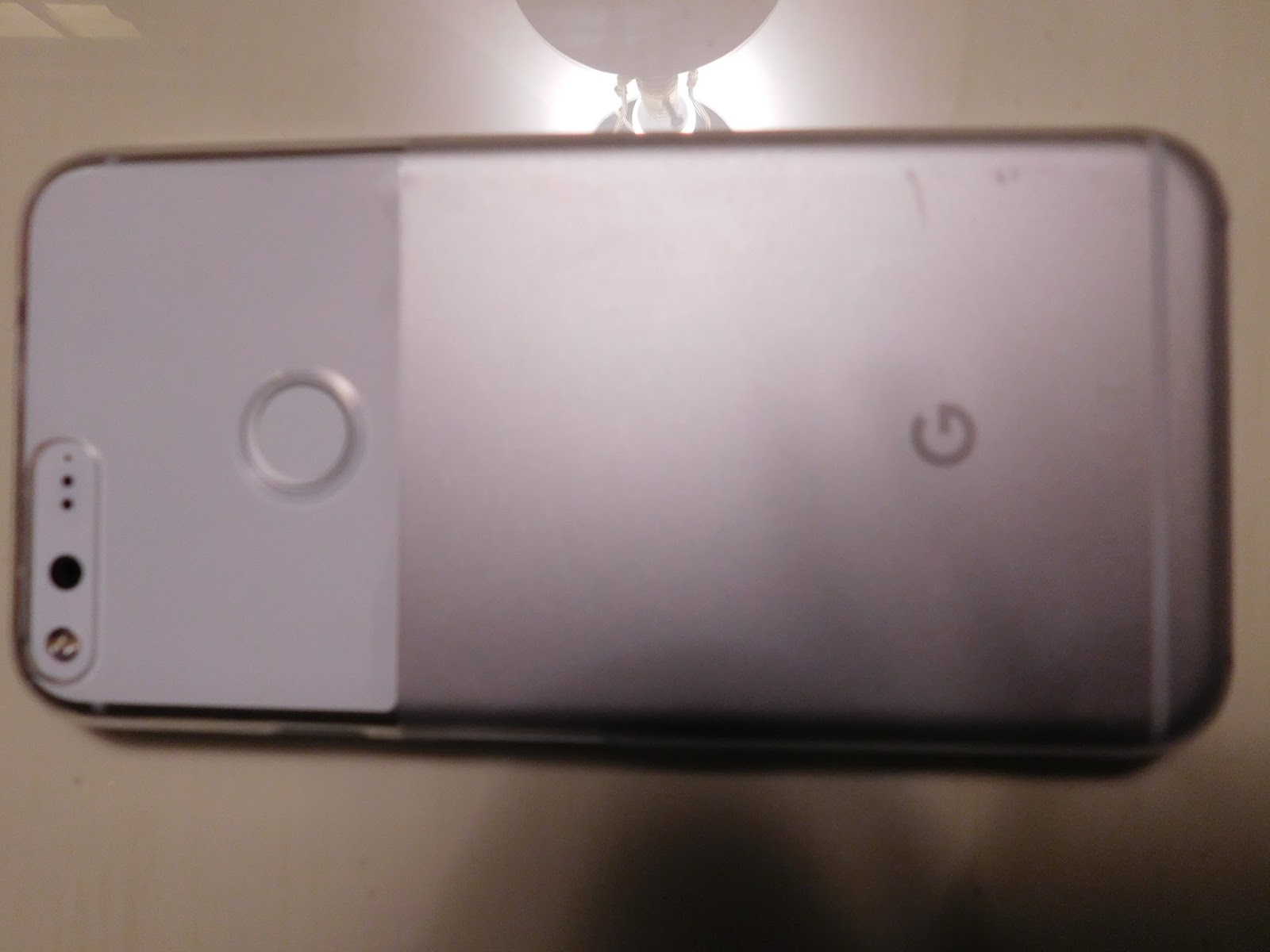
If Apple and Samsung want to send me phones to review, I will be happy to give them a comparison test but that is NOT going to happen. Since I don't give bias reviews for products, no corporation on earth is going to give up a FREE product for a questionable review. This means, ThatCyberSecurityGuy, LLC pays FULL price out of pocket for any product we review, which is fine, but understand that this limits what we can review but does keep our reviews VERY HONEST.
The Internet is stalking you. It is useful but it can become your worst enemy. As you now know, governments and corporations around the world expend vast resources and expense to spy upon your Internet use, phone conversations, email, GPS location and much more. Almost every facet of our daily lives are being scrutinized. Thousands of identity thieves, hackers, and criminal organizations are watching your Internet activity and installing malware on your Internet devices. You need my writing!
The Internet is Infected! The Ultimate Cyber Security Guide for Small Business and Home Computing!
If you find the information on this blog valuable you will find my upcoming three volume cyber security books infinitely more so! Visit my website at http://thatcybersecurityguy.com. My 8 years of research and 900 written pages are about much more than just cyber security as my writing presents valuable small business and general home computer knowledge. Visit me on Twitter @ThatCyberSecGuy. See the ACLU video "Invasion of the Data Snatchers" at YouTube to understand why you need my books and PDF files on the infected Internet.
Wednesday, November 30, 2016
Google Pixel XL 128GB cell phone combined with Project Fi Wi-Fi it will change the world!
If Apple and Samsung want to send me phones to review, I will be happy to give them a comparison test but that is NOT going to happen. Since I don't give bias reviews for products, no corporation on earth is going to give up a FREE product for a questionable review. This means, ThatCyberSecurityGuy, LLC pays FULL price out of pocket for any product we review, which is fine, but understand that this limits what we can review but does keep our reviews VERY HONEST.
Sunday, November 27, 2016
Google Pixel XL review and Project Fi cellular coverage, awesome and cheap together over time!
I was using a Samsung Galaxy S2, which I had upgraded to the JellyBean Android OS until November 2016. I started out with the S2 on the T-Mobile Walmart family plan, and then had mixed feelings. It worked OK, but was dropping calls as I moved around. T-Mobile, back in the day, did not have great coverage years ago but the savings on a $144 a month Verizon plan was amazing. I eventually converted the phone over to AT&T's Walmart Go plan, which was much better coverage but still not great at $45 a month. Calls were still dropped when I traveled and visited friends and family, AT&T had its dead spots as well. I have been watching the cell phone market for years trying to find the right deal to make a new plunge into the 21st century and the new Google Pixel phone combined with their Project Fi coverage plan was it. As I conduct radio, and hopefully TV interviews and such, I can no longer afford to have a phone that drops calls or have audio that is not clear in dead zones or on speaker.
- If you watch TV, Verizon is advertising the Pixel as an exclusively Verizon phone for a contract (how this is legal I do not know). Anyone who buys into a Verizon Pixel phone plan is a fool. I'm not trying to be cruel, I just state reality. Google has Project Fi https://fi.google.com/about, which is a wireless service from Google where they are partnered with three leading national carriers to give you access to three 4G LTE tower providers for faster speeds in more locations.
- The phone, with Project Fi, will also connect to over a million Wi-Fi hotspots as it automatically shifts over for faster calling, data and texting. This is all done with encryption to keep your data safe.
- OK, I admit I have dreams of international travel for my business. The Pixel with Project Fi offers in Google's words, "Unthrottled high-speed data works in over 135 different countries and territories. No need to call ahead for a different plan. You'll pay the same price for data that you do at home."
- My wife retired April 2016 and I'm a disabled veteran. I work to reduce monthly costs at every opportunity I can find. Project Fi starts at $20 per month and $10 per GB of data. If you are connected to Wi-Fi you don't have to worry about data and I'm connected about 90% of the time with this phone. Therefore, my cell phone bill is reduced from $45 on the AT&T Go plan for unlimited (Text, Data, Voice) to $20 per month. Even at the $921 cost the phone will rapidly pay for itself.
Saturday, September 3, 2016
Beware of liars, the new cheap smartphone solution, how Apple was right!
- The government is lying to you if you think your 401K or IRA are safe. You need to move some of your portfolio (10% to 25%) to hard investments. However, there are many gold/hard asset investment scams also. Buyer beware as everyone is out there to rip off everyone else! The only two (my opinion after research and depending on questionable things like BBB ratings) are http://www.monex.com and http://www.swissamerica.com who are both my brokers for hard assets.
- I really want to give you more advice such as what preferred stock I like, no-load mutual funds with low expense ratios, bonds I like an so on to invest in but I have had very mixed results. Some investments I have taken no action on hoping for recovery have reached zero, others I have sold after taking huge losses and sold only to see them recover from the thousands I lost making no sense. Others I have read news how they could never succeed such as Netflix after they went head to head with BlockBuster. I sold at $15 making a nice profit. The stock went to $256.
- Occasionally you find a neighbor or business associate who deal honestly with you. Value them and give them money and it will pay off.
I'm working on cutting the cellphone bill with a HUGE NEW better smartphone release from Google. It has been leaked the phone will have a new, advanced Android OS, come in small and large sizes (my eyes need the LARGE size), integrated with Google in October. This phone will operate and work on all networks including AT&T, Sprint, T-Mobile, and Verizon. It is roomer-ed it will sell for about $600 so you can purchase and use no contract plans such as http://sale.totalwireless.com or https://www.att.com/shop/wireless/gophone.html among others. As with everything else I write about on this blog it will be and unbiased review with no financial incentive from any company. I get offered free technical devices and turn them down to keep my reviews believable.
For another blog entry based on my book:
I predicted that the back-doors, spying hardware and spying software built in to products by the NSA would one day be leaked and other countries would utilize them to hack the whole world. This article by the Washington Post https://www.washingtonpost.com/world/national-security/powerful-nsa-hacking-tools-have-been-revealed-online/2016/08/16/bce4f974-63c7-11e6-96c0-37533479f3f5_story.html shows that many, if not all the hacks the NSA has forced on companies have been leaked and our enemies are using them. These hacks would not be posted-leaked on the Internet if they had not been is use by foreign powers for quite some time. NSA how now set up every American and American company to be hacked by everyone!
This was what my book was all about and how to keep yourself from being hacked even with these backdoors. For example, I have promoted putting tape over your computer webcam for quite some time. Turns out that is now common advice! I also talked about using German encryption because it does not have back-doors.
Sunday, August 7, 2016
Installing Windows 10
If you did upgrade, I instructed you to burn a Windows 10 install DVD, which I was not sure would work with other computers. Since the deadline has passed, this blog entry is about installing Windows 10 and the problems that you may encounter.
- If your hard drives have data or an OS be sure to zero them. I recommend using MiniTool’s FREE Partition Wizard Home Edition tool, which is amazing. Download the ISO file and burn it to a CD or load it on a USB drive. If you are running RAID, as I was, bust it apart in the BIOS leaving every drive visible to the tool. Pressing the DELETE key on boot uploaded my BIOS settings and from there I clicked on the Advanced tab -> SATA Configuration -> SB SATA Configuration. From there, change the SATA Port1 – Port4 and SATA Port5 – Port6 from RAID to AHCI. (See: http://www.minitool.com/download-center/partition-manager-download.html, https://www.partitionwizard.com/partition-wizard-bootable-cd.html)
- When done zeroing the hard drives, put the RAID back together by reversing the BIOS directions in step one. After saving the BIOS RAID settings, you have to enter the AMD RAID disk pairing BIOS. On my server, I did so by typing Ctrl-F6 upon boot up. Pair your hard drives and reboot. Now here is a critical step that I had failed to do, upon boot up pause the BIOS to make sure the disks are indeed, paired properly. In my case, they were not but I did not know that as the RAID BIOS screen zipped by upon boot up. It was later after I had spent a few days loading and configuring Windows 10 on a single disk that I learned my RAID 1 configuration was deprecated. It was hard to catch but I learned that hitting the PAUSE/Break during boot up revealed the following RAID status, which if I could have seen the messages flying by it would have revealed:
© 2011 Advanced Micro Devices, Inc. All Rights Reserved
ID LD Name LD Size Status
01 OSRAID1 1999.99G Critical
02 DATARAID1 1999.99G Functional
Port ID Device Name
01:01 ST32000641AS <S.M.A.R.T. Health> <Single Disk 03>
Hit the Break Key to pause BIOS
Problem is detected with Array:01 Critical Status:
A disk member of an array has failed or is not responding.
Please refer to your AMD User Manual for further details.
Press <Ctrl-F> to enter RAID Option ROM utility.
Was this a disaster or what? I could not have my main computer server running without a functional RAID mirror, so I set about correcting it. After scouring the Internet for solutions, I downloaded and installed AMD’s RAIDXPERT utility. However, after installation it would not work under Windows 10. Therefore, I had no choice but to enter the RAID ROM BIOS at boot up and join the disks manually. I was afraid this would destroy all my work on the server, so I created a system image on my backup device, which I recommend you do from time to time. (See: http://support.amd.com/en-us/download/chipset?os=Windows%2010%20-%2064)
- Creating a system image in Windows 10 is not as straightforward as it was in Windows 7. For example, if you type system image in the Ask me anything box, it just brings up a bunch of Internet search solutions. However, if you type backup you will see Backup and Restore (Windows 7), which brings up the old Windows 7 Backup or restore your files dialog. On the left panel under Control Panel Home, click on Create a system image to back up your OS and data. You should do this periodically so that you can always move back to a restore point.
- Once the imaging is complete, Windows 10 will prompt you to create a System Repair Disk. If you do not have one already, you should do this. Do not miss the critical step that I did, which is to test the disk by booting from it. I had two System Repair Disks and could not boot from either one without error after I had destroyed my server again. My solution was to boot from the Windows 10 installation disk that I had created back in October 2015 and use that to restore my system from the backup image.
The remaining steps are detailed in my book and PDF products on my website at http://thatcybersecurityguy.com. Now that you’re imaged, your computer has to be configured and loaded up with software such as Office, Visio, PowerPoint, MapPoint, Corel Paint Shop Pro, Video Studio, Dragon Naturally Speaking and so on. There is also a ton of open source software that I talked about in my book. such as CCleaner, PuTTY, gVim, Speccy, SeaMonkey, Firefox, FileZilla, Notepad++, Mozilla Thunderbird, VLC Media Player, Revo Uninstalled, PDFMate, and so on.
My next blog entry will be about the setup and use of Windows 10 Hyper-V to run a bunch of Linux OSs on the second RAID 1 mirror in my computer server. I have already started on this and I hope to have guest OSs running on the server in no time. All the Linux OSs (Fedora, Kali, Mint, OpenSUSE, Ubuntu) are downloaded and ready to install. In my book I detail how to do this using both VMware Player and Oracle VirtualBox. This will be my first foray into using the Windows 10 Hyper-V virtualization solution.
Saturday, June 4, 2016
Battle of the Indoor TV Antennas, Last blog entry on Cutting the Cable Cord!
For local channels I decided to experiment with indoor antennas. I have three LED TVs for which I wanted to have local antenna channels. I did a lot of research but could not figure out which indoor antenna to purchase. My original thought was to buy the best rated antenna and split the signal to the three TVs. However, once the first antenna arrived I realized that splitting the signal would be impractical as my TVs are far from each other, thus requiring long cable runs degrading the antenna signal. Therefore, I decided to have a “BATTLE OF THE TV ANTENNAS” by purchasing three different name brand antennas and seeing which one did the best. After a lot of research I settled on the following three name brands:
- 1byone Amplified HDTV Antenna - 50 Mile Range with Detachable Amplifier Power Supply for the Highest Performance and 10ft Coax Cable an Amazon Best Seller.
- Winegard FlatWave Amped FL5500A Amplified Digital Indoor HD TV Antenna (OTA / High-VHF / UHF / Ultra-Thin / Black and White - Reversible / USB Power Supply) - 50 Mile Long Range. Best specifications as they claim to have the best quality components.
- Mohu Leaf 50 TV Antenna, Indoor, Amplified, 50 Mile Range, Original Paper-thin, Reversible, Paintable, 4K-Ready HDTV, 16 Foot Detachable Cable, Premium Materials for Performance, USA Made, MH-110584.
NOTE: Analog TVs will not work with these digital TV antennas, as by law, there are not any stations broadcasting in analog anymore. To use these antennas, your best bet is to purchase a new TV with a digital tuner, if you don’t have one already. I recommend the 55” TCL Smart Ultra Roku TV at Costco with a SquareTrade extended warranty for an additional $30.
First off, I had some crazy stuff happening. When I hooked up the antennas to my 8-year old digital Visio TV, it would scan for channels reporting back that it found between 40 to 48 channels and then the screen was blank. I was clueless and tried everything I could think of such as swapping antennas. By accident, I unplugged everything and when I powered everything back up again, the local channel antenna was working fine to the Visio TV. Riddle me that one batman!
Each antenna is easy to mount with the two way tape that comes with them. Since we will be moving in one year I chose to use masking tape and save the two-way tape for my next home. My wife hates it, but having the antennas taped to the wall with masking tape does not look all that bad to me. I imagine when we go to sell the house I will have to come up with some other mounting solution but for now, masking tape in the room’s upper corner looks just fine.
Now to the meat and potatoes which is my evaluation of the three indoor leaf TV antennas:
- The 1byone was the cheapest and most popular at Amazon for a reason. It pulled in about the same number of channels as the Winegard and Mohu but for a cheaper price. However, you get what you pay for as this antenna could not match the performance of the Winegard or the Mohu. I had distortion on some channels since it pulled in less clear channels.
- The Winegard was awesome in the number of channels it pulled in, but most of the new channels were distorted going in and out, so they might as well not have been found. However, this is an awesome antenna that is a solid purchase and I believe Winegard does have superior components. The fact that it found stations the others did not reflects that it is better quality.
- Even though the Winegard may have excellent construction, the Mohu Leaf took the prize! The first thing I loved was that the cable was detachable at the antenna. You would think that this would be standard in all the antennas but with the 1byone and Winegard, the cable is a permanent attachment to the antenna. This makes mounting these antennas a pain in the a$$ and if it becomes damaged or if you want a cable of superior quality or length to the one attached, it does not allow for replacing the cable. Next, the Mohu pulled in fewer channels than the Winegard but those channels were clear. Lastly, the Mohu comes with one side black and the other side white. Depending on what your paint color is, you can choose the visible side that blends in best with your wall paint. If you are married let you spouse choose the color as I thought black on brown paint went better than white on brown paint but that was not the case.
With all my research and work, you can now cut the cable cord and save about $75 a month. You will have over 200,000 entertainment options by doing so for less than what an LED TV used to cost a few years ago. The choice is up to you as I have done all I can to help you - with no affiliations, sponsors, and using my own money putting it all where my mouth is!
Here ends ThatCyberSecurityGuy's series of blog entries on cutting the cable cord.
Wednesday, May 4, 2016
How I cut the cable cord by replacing 5 old cabled TVs cheaply
If you enjoy sports and our entertainment news stations such as CNN and Fox News then I don’t have the answer except for a local sports bar or an Internet cellphone, laptop or computer. Sling TV is good for ESPN but at $20 a month you don’t get anything near what Amazon Prime, Netflix, and Hulu offer in other TV shows and movie entertainment options. We will talk about antennas for local TV stations in my next blog entry which may be the solution you need.
In 2015, I finally convinced my wife that LED TVs were relatively cheap and we should purchase one. Moreover, with Amazon Fire TV Stick and Roku, I was thinking about how we could cut the cable cord. I was looking and studying hard as I learned about streaming services such as Hulu, Amazon Prime, and we already had and were experienced with streaming Netflix. Even at today’s prices, getting a 48 inch or greater size LED TV along with a $40 Fire TV Stick or Roku Streaming stick at $45 was out of our price range. Then I came across the 48 inch TCL TV at Costco with Roku built-in for $400 (now $330). Who the hell is TCL, I asked? After a lot of research, I found that they provide parts to many of the big name TV makers and decided to put together their own TV product to market in the U.S. thus cutting out the middleman. They are offering these TVs cheap to establish themselves as a player to be ranked against the (probably former) big boys (i.e., Samsung, Sony, and Sharp).
Step 1
Even with this great price I was not willing to roll the dice on a TCL TV until I talked with a knowledgeable Costco TV guru. He explained that TCL TVs were not coming back broken and that I could purchase a Square Trade warranty for a mere $30. I was skeptical until he informed me that Square Trade is for real and that they will come to my house to fix the TV if anything goes wrong with it during the 2 year Costco Concierge plus 3 year extended warranty period. I was sold and brought the TCL TV home. I felt that getting 5 years of 48-inch TV viewing entertainment was worth $430 and I hope the TV will last a lot longer. Plus getting to recycle the TV box right away, not needing it to ship for possible warranty repair, with an in home warranty is cool.
Step 2
I moved the 30 pound 720p Visio TV up to my office and recycled the 120 pound 20 year old analog CRT my mom had given me. I hooked the cable up to that TV’s digital tuner directly and took back both the digital cable box in the living room and digital box that was hooked up to the office analog TV. Cost thus far $440 with taxes, cost saving thus far $9.00 a month. My wife was skeptical as it would take 47 months to recover the cost of the TCL Roku TV if we kept cable. However, that was not my overall goal.
I hooked up the 48-inch TCL in the living Room and became amazed. At first, I hated the simple remote as it has no channel or last viewed buttons but if you stream multiple services as I do now it is OK. It is kind of awkward for cable but you get used to scrolling through the channels. My one recommendation to TCL is to add ‘Last’ and ‘Hulu’ buttons. The remote comes with Netflix, Amazon, Rdio and Vudu buttons.
Step 3
I knew that making my wife part with her $13 a month cable DVR and 50-inch 160 pound plasma TV was going to be difficult. I analyzed all the options and the only thing I could come up with was another 48” TCL Roku TV. My first step was purchasing Amazon Prime for $99, which I sold her on for the FREE 2-day shipping they offer. We have three stepdaughters and she likes to buy and ship them things from time to time. Plus, I admit, I’m an Amazon addict as I love the deals and discounts they offer with free shipping to my door.
Once all the streaming options kicked in on the TCL Roku TV she rather enjoyed Amazon streaming on our living room TV but she still opted for her 50-inch cable DVR recorded programs in the bedroom. The very old bedroom DVD player was incapable of streaming Amazon and only offered Netflix from their instant queue on that old plasma TV.
Therefore, streaming Netflix and Amazon had not baited the hook and I was not sure where to turn. After a few months with this setup I finally concluded that my only alternative was to give away our awesome $1400 fifty-inch, 160-pound plasma TV and mount a 48-inch 27-pound TCL LED Roku TV in the bedroom. I watched for a deal at Costco and jumped on a $50 rebate for another 48-inch TCL Roku TV making the cost $350. I have not calculated the energy savings but TCL says running their TVs only cost $17 a year which I’m sure is major advantage over the 50” old energy hungry plasma TV.
After another 3-year Square Trade warranty and taxes I was out another $400 and I had to give away the 50-inch 160-pound plasma TV to my young neighbors. However, in my defense, that plasma TV was over 10 years old, I got free moving help as my neighbor wanted the TV for his garage, and non-HD pictures from cable were being cut off 360 degrees making watching anything annoying. In addition we are planning to move in the next year or two and I did not want to pay movers to properly handle that 160-pound plasma TV properly. I thought about just leaving it behind but I can imagine people buying the house demanding it be removed.
To keep my wife happy I opted to purchase Hulu for local TV shows. This replaced her $13 a month DVR for $12 and gave her many more options from which to choose. She now had Netflix, Amazon Prime and with the addition of Hulu I hoped that would be enough for her in the evenings.
Step 4
Now I had a dilemma as to what hardware to put where in order to break the cable cord and maximize all our entertainment options and keep my wife happy. Buying more TCL TVs was not going to solve the problem nor would she permit that understandably. It was not going to be easy, for example, I enjoyed CNBC on the bathroom TV in the mornings to see what the stock market was doing. In the basement, I did not want to do without cable TV as I treadmill for an hour each day. In my attic office, I did not want to be without mindless background noise with the occasional TV infotainment broadcast to view when I needed a break from working on the computer and paperwork. Here is what I came up with:
- I moved the Play Station 3 from the TV room to the attic office so we could stream everything to the old 720p Visio digital TV. We have a small house and my dining room was too small for physical games, so I wanted to try the office with the PS3.
- The bathroom already had a Samsung DVD player capable of streaming that worked OK. I someday want to replace this TV but that can wait until we move.
- The bedroom was good to go with the new TCL streaming Roku TV and old DVD player to keep my wife happy with the ability to play the occasional DVD.
- The basement 120 pound treadmill analog TV will have to wait. We have accumulated a lot of VCR tapes and DVDs that TV can play so I can make due.
Saturday, April 30, 2016
TV and Phone Plans from the past that we all have to get past!
I have been on a quest for many years to simplify and lower the cost of our very expensive cable TV, entertainment and Internet smartphone services. Given the above hardware configuration with multiple TVs without tuners, I had been in a quandary for years.
Friday, April 29, 2016
How we came to own 5 TVs, other streaming Internet devices, and how you might relate
Sunday, April 24, 2016
Cutting the Cable Cord, Confessions of a TV Addict with 5 TVs!
This series of ThatCyberSecurityGuy blog entries took years of experimentation, limited technology purchases over years of study, near death experiences, and a lot of dedication as life moved on during the recent years of our entertainment world’s revolution. As smartphones and other devices leave the PC and laptop world behind (somewhat), so has the streaming TV content world left satellite and cable TV behind! Years ago, for the most part, power hungry Plasma TVs quickly came and went. Less power hungry Liquid-Crystal-Display (LCD TV) were rapidly replaced with more energy-efficient and high-quality picture LED TVs. Writing and researching my book “The Internet is Infected!” for five years did not allow me the luxury to investigate TV entertainment technology to cut the cable cord before now. The truth is this cheap technology was not available back then and I was too busy launching my business, attending classes along with a multitude of other things. However, a major priority in the evenings, I would always set aside a few moments of fun time to just surf the web and read about the inconsequential entertainment options in hopes of cutting our monthly expenses and cable cord was a major priority! I’m happy to say, that moment has come at last! You can negotiate your download speed with an ISP.
Advantages:
- Significant savings, our bill for cable + Internet was $129 a month.
- Comcast Xfinity Internet Blast offered Internet download speed up to 150 Mbps for $60 a month.
- AT&T U-verse HSIA 75 was $35 a month for a 1-year term with a download speed of up to 75 Mbps.
- Wowway.com had $25 a month for a 30 Mbps download speed.
- Sling streaming service for $20 will give you access to ESPN and other channels that the other streaming services do not provide.
- Hulu streaming service for $12.00 a month, Hulu only streams in 720p.
- Netflix streaming service is $9.00 a month but it does not offer downloads. Content can be dated.
- Amazon Prime is $99.00 a year or $8.25 a month but that does include free 2-day shipping on orders purchased.
- Streaming will go in and out if/when your ISP has problems. You will find your devices losing reception more frequently than cable TV. To ensure that you can stream to your smart or Roku TVs you may need to pay your ISP for a maintenance plan. When the squirrels chew on the cable leading to your house you don’t want to face a $200 bill to have a service technician to replace that cable.
- Streaming requires a bit of configuration, work and initial set up of all your Internet devices. This leads to security concerns as the inclination is that once everything is set up to leave the status quo. The reality is that you should be changing your passwords at least once a year, but even I admit that I have not done that. Roku wanted a credit card and personal information for me to pay my Hulu bill, for example. If a hacker gets in there I’m in trouble. Same goes for Netflix and Amazon.
- Streaming devices require maintenance. The firmware and apps have regular updates. This can be annoying when you are settling in for the evening and just want immediate gratification. If you don’t have built in Roku or smart TV streaming you will have the added expense of purchasing these devices separately, which can be unsightly and require an extra cabling expense. However, cable TV devices, often require the same cabling.
- Without Internet devices such as computers, Smartphones, and Tablets you may miss such things as the latest sporting events, infotainment news from CNN, CNBC, FOX, and HLN. However, if you have a browser and Internet access there are usually other options for this type of viewing. For example, CBS made the Super Bowl available to a broad range of streaming devices without login. So yes, even after cutting the cable cord I could stream the Super Bowl to my Roku TV having the annual party or I could have traveled to my local American Legion hall or a sports bar to get rowdy with the folks.
- Netflix is the biggest streaming service in the United States. It has an amazing movie collection and catalog of TV titles, sometimes months old and a great selection of old films. It also has original content such as “House of Cards”.
- Amazon Video on Demand has over 75,000 of your favorite movies and hit TV shows. Amazon, like Netflix, has a good offering of old and new hits for movies but unlike Netfilx, it has for a price, more current U.S. TV shows including premium cable shows from HBO and Showtime for a price. It also has original content such as “Transparent, Alpha House, and Mozart in the Jungle” among others, which have not been as popular as “House of Cards”.
- Hulu Plus has a better selection of current TV shows than Amazon Prime and Netfilx, and carries some TV channel series that the other two do not. Hulu is the best way to watch shows from NBC, FOX and Comedy Central. You gain access to full seasons of shows instead of the last four of five episodes that cable “On Demand” offers.
- Giving up cable means losing ESPN and our favorite U.S. infotainment news channels but much of their content can be found online or at your local gym. If you are hankering for the latest news, the BBC at https://www.BBC.com for example has a lot of news you can stream for free if you want to read about the real things taking place in our world (other than Donald Trump and the endless coverage of the U.S. presidential election). Aljazeera America at http://america.aljazeera.com has a ton of relevant news that you can stream and read about world events. It was the best news channel I witnessed for real news while serving in Kuwait during the Iraq war and the only one we watched for real news. Then there is also http://www.npr.org where you can listen and watch a commentary and news on variety of topics anytime you want.
Friday, April 8, 2016
Apple's response to my commentary on privacy in support of their FBI stance!
________________________________________________________
March 27, 2016
Thanks for contacting us. We welcome your feedback on Privacy and Security. Apple strives to provide a positive experience to our customers. You can submit feedback here:
http://www.apple.feedback
Please be assured that Apple values the time and consideration that you invested in your email. Thank you for taking the time to share your thoughts with us..
Sincerely,
Apple Customer Care
________________________________________________________
No wonder Apple is one of the leading U.S. companies. Kudos to Apple!
Wednesday, March 9, 2016
The answer to why the FBI does not ask the NSA to break into the terrorist phone and demands Apple do it!
Therefore, in February 2016, the FBI asked for $38 million in funding to counter the growing use of encryption technology employed. This is a drop in the bucket compared to the estimated $52.6 billion dollar BLACK BUDGET. The U.S. BLACK BUDGET spans over a dozen agencies that make up the National Intelligence Program. The top five agencies, by spending:
The above information was taken from http://www.washingtonpost.com/wp-srv/special/national/black-budget.
Looking at the chart above, the requested FBI budget for 2016 is $8.48 billion. Some of the breakdown of that budget is as follows as taken from https://www.fbi.gov/news/testimony/fbi-budget-request-for-fiscal-year-2016, “The request includes a total of $8.4 billion for salaries and expenses, supporting 35,037 permanent positions (13,074 special agents, 3,083 intelligence analysts, and 18,880 professional staff), and $68.9 million for construction. Two program enhancements totaling $20 million are proposed: $10.3 million to increase cyber investigative capabilities, and $9.7 million to leverage Intelligence Community Information Technology Enterprise (IC ITE) components and services within the FBI.
The FY 2016 request includes the cancellation of $120 million from Criminal Justice Information Services (CJIS) excess surcharge balances and $91.4 million in non-recurred spending ($50.4 million in the salaries and expenses account and $41 million in the construction account).
Overall, the FY 2016 request represents a net increase of $47 million over the FY 2015 enacted levels, representing an increase of $88 million for salaries and expenses and a decrease of $41 million for construction.”
As you can see from the above numbers most of the FBI budget supports their 35,037 employees. Comparing their $8.4 billion dollar budget to the $52.6 billion dollar black budget leaves the FBI very limited resources to spend on cyber security and breaking encryption. Something U.S. taxpayers have to ask themselves is, with such a well-funded cyber security and encryption breaking BLACK BUDGET, why does the FBI need such underfunded and redundant cyber security expenditures?
Therefore, how does the FBI get around their lack of ability to break encryption when they are blocked from using the unlimited BLACK BUDGET cyber security/encryption breaking capabilities? They do so by asking U.S. companies to put in easy backdoors nullifying the encryption techniques being employed to protect data. Once those backdoors are leaked, the Russians, Chinese, criminals, and back hat hackers now have an easy path to get at the data stored on those devices. This results in a HUGE loss of intellectual property in the United States to other countries.
Ironically, the FBI states that preventing intellectual property theft is a priority for them. However, these engineered backdoors may have enabled the biggest theft of trade secrets and infringements on products that impact consumers’ data, health and safety, such as counterfeit aircraft, car, and electronic parts in U.S. history. The FBI even admits that much of theft takes place overseas, and costs U.S. businesses billions of dollars a year as well as robs the nation of jobs and lost tax revenues. In Fiscal Year 2011, federal agencies only made 24,792 intellectual property rights seizures valued at $178.3 million. (See: https://www.fbi.gov/about-us/investigate/white_collar/ipr/ipr, https://www.dhs.gov/topic/intellectual-property-rights)
Compare that trivial number to the 2013 report documented by the Huffington Post, which concluded that hacking costs the overall U.S. economy as much as 100 billion each year. That means we are countering 0.1783% of all intellectual property being stolen in the U.S. and to counter that threat, “U.S. companies are spending millions of dollars securing their networks, buying insurance and repairing their reputations after getting hacked.” (See: http://www.huffingtonpost.com/2013/07/25/hackers-jobs_n_3652893.html)
How much of those numbers that can be traced back to encryption backdoors is unknown. For example, a stolen cell phone of a corporate executive or integral employee may have given up a treasure trove of information such as corporate accounts and passwords that hackers exploited later. Another example is perhaps the personal information on a hacked phone gave a criminal the ability to blackmail a knowledgeable corporate employee. The possibilities for the invasion and exploitation of easy FBI backdoors to iPhones are endless and this is a rabbit hole that should not be opened when there are U.S. BLACK BUDGET options that can achieve the same results.
Friday, February 26, 2016
In interview after interview everyone is missing the point behind Apple's battle with the FBI
Folk's, I'm growing very tired of listening to radio and TV interviews that are all missing the point behind Apple's battle with the FBI. It is certainly about privacy but that is just the Tip of the Iceberg. Here is something for you to think about as NPR and others only put lipstick on the FBI pig!
About 10 to 12 years ago the government passed legislation to ensure that customers private, personal, and financial information, which is collected and manipulated by corporations, is to remain as secure as possible under penalty of prosecution.
Apple, in direct response to that concept, created an operating system that explicitly complies with the heart and soul of that mandate. As a result, Apple, itself, cannot even access that data on the person's device, a phone.
The government has now mandated that Apple violate that principle by writing code against that security which, after it is written, has no reasonable guarantee that such code would remain under the control of responsible users. The case in point is Edward Snowden, who the NSA thought would not violate the secrecy of the NSAs violation of data gathering without due process.
If the government (NSA) cannot protect its own dirty secrets (The Atom bomb, the Hydrogen bomb and so on), how will the government (FBI) protect the code they had the courts mandate to be written? How is Apple going to protect itself from prosecution when that release ultimately happens? Catch 22.
Even if Apple is not ever prosecuted does every United States citizen want to surrender all the data they store on their smartphones to the Russian mafia or the Chinese syndicates? This last sentence is something you won't hear any radio or TV interview mention!
Thursday, February 18, 2016
Apple fights an unprecedented battle! The U.S. government threatens what is left of the security and privacy of every U.S. Citizen!
Taken from my book:
On July 11, 2014 in an interview with the Guardian, William Binney, a 30-year veteran of the intelligence community stated the following as fact; "At least 80% of all audio calls, not just metadata, are recorded and stored in the US… At least 80% of fiber-optic cables globally go via the US… This is no accident and allows the US to view all communication coming in... The NSA lies about what it stores… The ultimate goal of the NSA is total population control…" William Binney resigned from the NSA on October 31, 2001 because he was disgusted by Washington's move towards mass surveillance. The difference between Binney and Snowden was his high rank and that he did not take any documents as proof with him. From that time forward, he has been an outspoken critic of the NSA's unnecessary mass surveillance stating, "it's better than anything that the KGB, the Stasi, or the Gestapo and SS ever had!" He likes to mock the NSA by pointing out such things as how the NSA's mass gathering of data did not stop 9/11, missed Russia's intervention in Ukraine, the Islamic States' take-over of Iraq and has stopped zero terror attacks inside the US. Because of his vocal criticism he has been persecuted with investigations, had his home raided by the FBI who also took his computer and backup disks, had his security clearance revoked, which forced him to close a profitable $300,000 a year business and spend $7,000 on legal fees. In his Guardian interview he laid down the gauntlet by saying, "There are no other views for the judges to consider. There have been at least 15-20 trillion constitutional violations for US domestic audiences and you can double that globally. I call people who are covering up NSA crimes traitors." Binney expressed publically on CBN in July 2014 that the ultimate goal of the NSA is total population control. He also stated that Internal Revenue Service has "direct access" to the NSA's domestic spying data and was likely using it to target the tea party. (See: http://www.theguardian.com/commentisfree/2014/jul/11/the-ultimate-goal-of-the-nsa-is-total-population-control, http://www.cbn.com/cbnnews/us/2014/August/Whistleblower-NSA-Goal-Is-Total-Population-Control)
- GnuPG - The core; this is the actual encryption tool.
- Kleopatra - A certificate manager for OpenPGP and X.509 (S/MIME) and common crypto dialogs. (See: http://docs.kde.org/stable/en/kdepim/kleopatra/kleopatra.pdf)
- GPA - An alternative certificate manager for OpenPGP and X.509 (S/MIME).
- GpGOL - A plugin for Microsoft Outlook 2003/2007/2010/2013 (email encryption).
- GpgEX - A plugin for Microsoft Explorer (file encryption).
- Claws Mail - A complete email application with crypto support.
- Gpg4win Compendium - The documentation (for beginner and advanced users), available in English and German.
You have it within your power to turn back these draconian invasions into our privacy. Support Apple in their fight for your privacy. Encryption is simply a method of encoding information that makes it more difficult for someone to view if our files or messages are intercepted. Mankind has been employing, developing and using encryption for thousands of years, and it is time we all do so safely when using our infected Internet. Encryption seems like a lost art to the common person, but it need not be. This skill is mandatory to develop to be able to survive in today’s digital world. If you want to keep the data that you exchange with your business partners or family secure, it is essential that you master this skill.
Tuesday, December 29, 2015
Cleanup your Disk Files and Backups with CCleaner Duplicate File Finder
What I found was I had many duplicate files on my newly upgraded Windows 10 computer. Once upon a time I had stored files on cloud drives such as SpiderOak and Windows Live Mesh. Mesh was deprecated and replaced with OneDrive and SpiderOak became unusable after I accidentally went over my 2GB storage limit. I also had copied files to various directories on my computer, which also created duplicates. Working with other people, such as my artist and editor, I had created many revisions of files. These important files were still stored on my local computer hard drive, my backups, and USB drives. In the past, I would bring up multiple copies of Windows Explorer (now called File Explorer avoiding confusion thank god in Windows 10 as I teach classes on Windows 7!) and try to root out and destroy duplicate files. As you can imagine this was incredibly time consuming and proved ultimately to be an impossible task.
For many years I have been using and advocating that everyone using Windows install and use the free (or paid for) Piriform CCleaner tool. (See: http://www.piriform.com/ccleaner) I use it to cleanup temporary files, wipe out cookies, look at startup files and more. However, when I embarked on my disk file cleanup project I discovered the CCleaner also has a Duplicate File Finder tool. This tool proved to be a quick and easy way for me to find all of those old duplicate files that were in my Mesh, SpiderOak and backup directories. It made the elimination of all those duplicate files on my hard drive, backups and USB drive possible. Try it out and I bet you will be surprised to discover how many duplicate files you have on your devices.
WinMerge Large File Compare Work-A-Round
What is cool that now WinMerge will work with all files enabling you to clean up all your backups!
Wednesday, December 9, 2015
Merge the files on your hard disk, cloud drive, USB drives and backups with WinMerge.org open source software
Wednesday, October 14, 2015
How to upgrade Windows 7 to Windows 10 Safely
Advantages:
- In my book, “The Internet is Infected!” I wrote extensively about how to use VMware Player and VirtualBox to install and load up Windows 7 with virtual Linux OSs. Windows 10 comes with a built in Hyper-V virtualization solution that may be better. I will blog about Hyper-V in the future when I can find time to try it out with some Linux installs.
- Windows 10 comes with a built-in email app that was as easy to setup as inputting your email address and password. I tried it with Yahoo, Outlook and Gmail, and it worked perfectly for all three.
- I only have a few third party applications installed but there is a noticeable performance improvement over Windows 7. My very old HP-dv6t laptop is screamingly fast.
- Windows 10 comes fully integrated with Windows Defender and Windows Firewall. Windows Defender uses real-time protection to scan everything you download or run on your PC. In Windows 7 we had to install and update Microsoft Security Essentials. If you prefer other more highly rated antivirus software Windows Defender will turn itself off when you install another antivirus app alleviating the concern of conflicting antivirus software running.
- Windows 10 is fully integrated with Microsoft’s OneDrive cloud storage. Your OS is automatically set up for it when you log in with a Microsoft Account. In my case I set up/logged in to Microsoft’s new email app and OneDrive was available. It is as easy to use as drag and drop using the Windows 10 “File Explorer”. If you right click on the OneDrive icon in the notification area, you can select Settings and do things such as select folders to sync, access your files remotely and more. OneDrive is offering a whopping 15 GB of storage which is more data than most of us can produce in our lifetimes! (See: https://en.wikipedia.org/wiki/OneDrive)
Disadvantages:
- While I’m still learning the Windows 10 start button, if you can call it that, it does not appear to be very configurable. There are too many options/links presented there to be able to sift through quickly. For example, in order to make more of a profit, it looks like Microsoft is guiding users to Grove Music, The Weather Channel, Movie and TV, their Store, and so on. If I want these things I will add them myself, I don’t need them in my face all time on the menu. The menu should be what is available to run on the computer and not about what is on the Internet; that’s why we have browsers to do that sort of thing. However, they can be manually removed.
- I mentioned the privacy concerns above. In this release, Microsoft is sharing more information about your computer and what you are doing with it in this release.
- There is no way to disable automatic updates. With Windows 7, I had control over when I would expose my computer to Internet and update the OS. I usually did this late at night while watching Netflix. Now when I am using a hotspot Microsoft will announce to the hackers my computer is connected and polling the Internet for updates. This is very disturbing!
________________________________________
My laptop was running a loaded up version of Windows 7 Premium. Sometime after the July 29, 2015 release of Windows 10, I registered the laptop for an upgrade to Windows 10. As with all Microsoft releases I waited a few months to see if there were any major problems with the 10 release. All the articles I have read have praised Microsoft for a smooth rollout of Windows 10 and its new interface.
Because Windows 10 had addressed many of the complaints I had heard about in Windows 8 and 8.1, I wanted to take the plunge and upgrade my laptop. I registered it and attempted the upgrade to 10. The upgrade failed so I examined the event log, searched for the error code on the Internet and tried various fixes. The Microsoft community recommended the usual stuff such as:
- Turn off my antivirus (which was Security Essentials)
- Make sure the computer is not configured for a proxy
- Turn off all services except the Microsoft services
- Open a command prompt with “Run as Administrator” and type “sfc /scannow”
- Manually reset the Windows Update process
- Delete the C:\$Windows~BT folder and everything in the download folder
Therefore, I decided to change strategies. I used an old hard drive for my laptop that I swapped with my Windows 7 drive, zeroed it and loaded it up with a fresh install of Windows 7 Ultimate. I applied all system updates and left the Windows 7 OS as clean as possible. (NOTE: You have to have SP1 installed) I was hoping I would not have to upgrade to 10 by having a clean version of Windows 7. I downloaded Windows 10, burnt the ISO file to a DVD and attempted to do a clean install. (See: https://www.microsoft.com/en-us/software-download/windows10) The install prompted for a Windows 10 license key so I tried my Windows 7 keys. I had no luck there so I was stuck with doing an upgrade which I was adverse to do.
To do an upgrade:
- Activate Windows 7 (required to upgrade, which is unfortunate. It is always nice to see if things are going to work before burning a new Windows OS activation).
- Log in to Windows 7 as administrator.
- Run the “setup.exe” from autoplay or from the DVD drive.
- On the “User Account Control” confirmation box, click Yes to continue. Windows will prepare the files for installation.
- On the “Get important updates” window, make sure that the “Download and install updates” radio button is selected.
If you want to do a clean install there is hope. There is an excellent article at http://arstechnica.com/gadgets/2015/07/how-to-do-a-clean-install-of-windows-10-from-windows-7-and-8/ that describes how to do that in a two-step process. It is fairly straightforward and requires an upgrade, creation of a Window 10 install DVD, and then a reinstall of Windows 10 which is pretty slick. After purchasing a new terabyte SSD for my old laptop I chose to use this option. The results were pronominal! A clean install that for my old laptop turned it into a Ninga warrior. I highly recommend this upgrade option.
You may also want to burn a reinstall Windows 10 DVD for your current computer which the article above describes how to do. Unfortunately, with that DVD this license key may only work on your current hardware with that DVD. Other computers with different hardware will likely require my procedure outlined above.
When you are done and the Windows 10 OS is stable you may want to clean it up (See: http://windows.microsoft.com/en-US/windows7/How-do-I-remove-the-Windows-old-folder).
- Open Disk Cleanup by clicking on the Start button, In the search box, type Disk Cleanup, and then, in the list of results, click Disk Cleanup. If/when prompted click on the drive where you just installed/upgraded to Windows 10.
- In the Disk Cleanup dialog box, on the Disk Cleanup tab, click on Clean up system files. Once again, choose the drive you just upgrade to Windows 10.
- Select the Previous Windows installations(s) check box, and any other boxes for the files you want to delete, and then click OK.
- In the dialog message that appears, click Delete Files.